Minecraft Bedrock resource packs
Merge packs texture by texture
Upload one pack as the base, add others on top, then pick whose version of each texture wins.
Kova builds the merged .mcpack in your browser: a full copy of the base pack with the
textures you chose swapped in.
Private site: members only, by invitation. There is no public sign-up.
Unzipping, previewing and rebuilding all happen in the tab. Your packs never leave the machine.
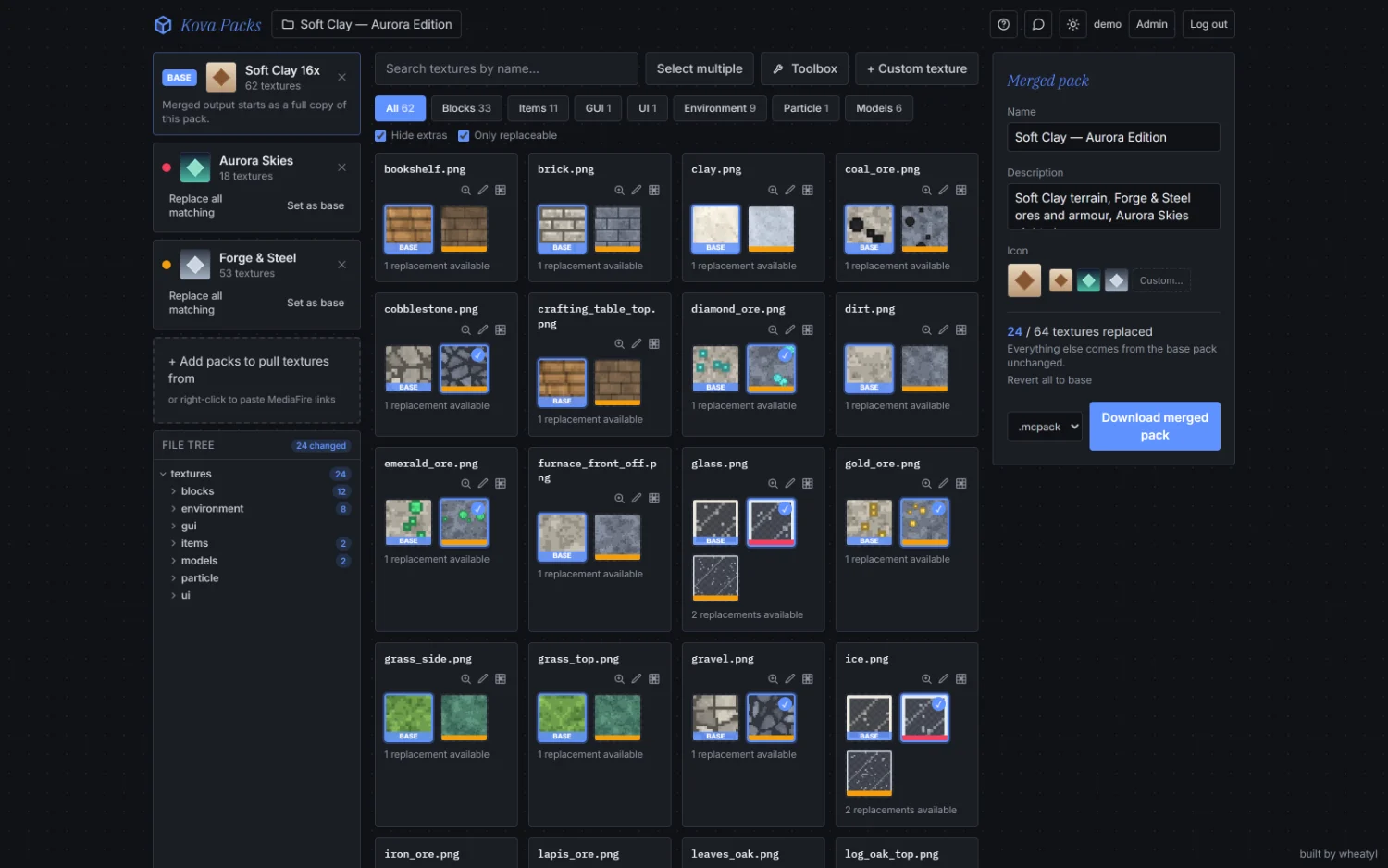
Every path is its own card. Take one stone from here, every sky from there, the armour from a third.
Out comes a .mcpack or .zip: the base pack entire, with a regenerated manifest and icon.
Side by side
Every version of a texture, in one place
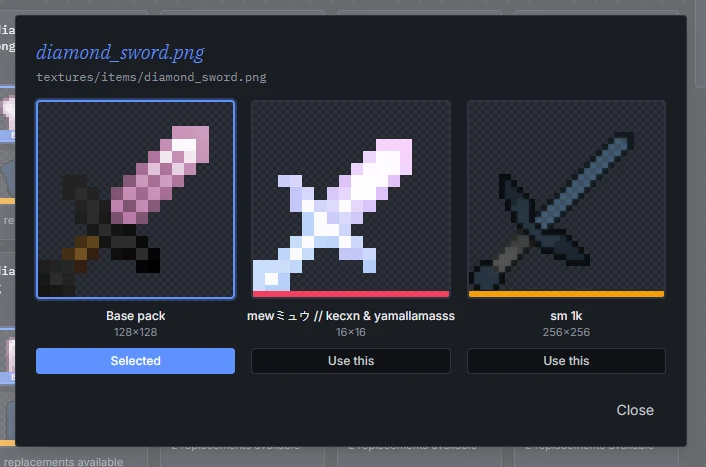
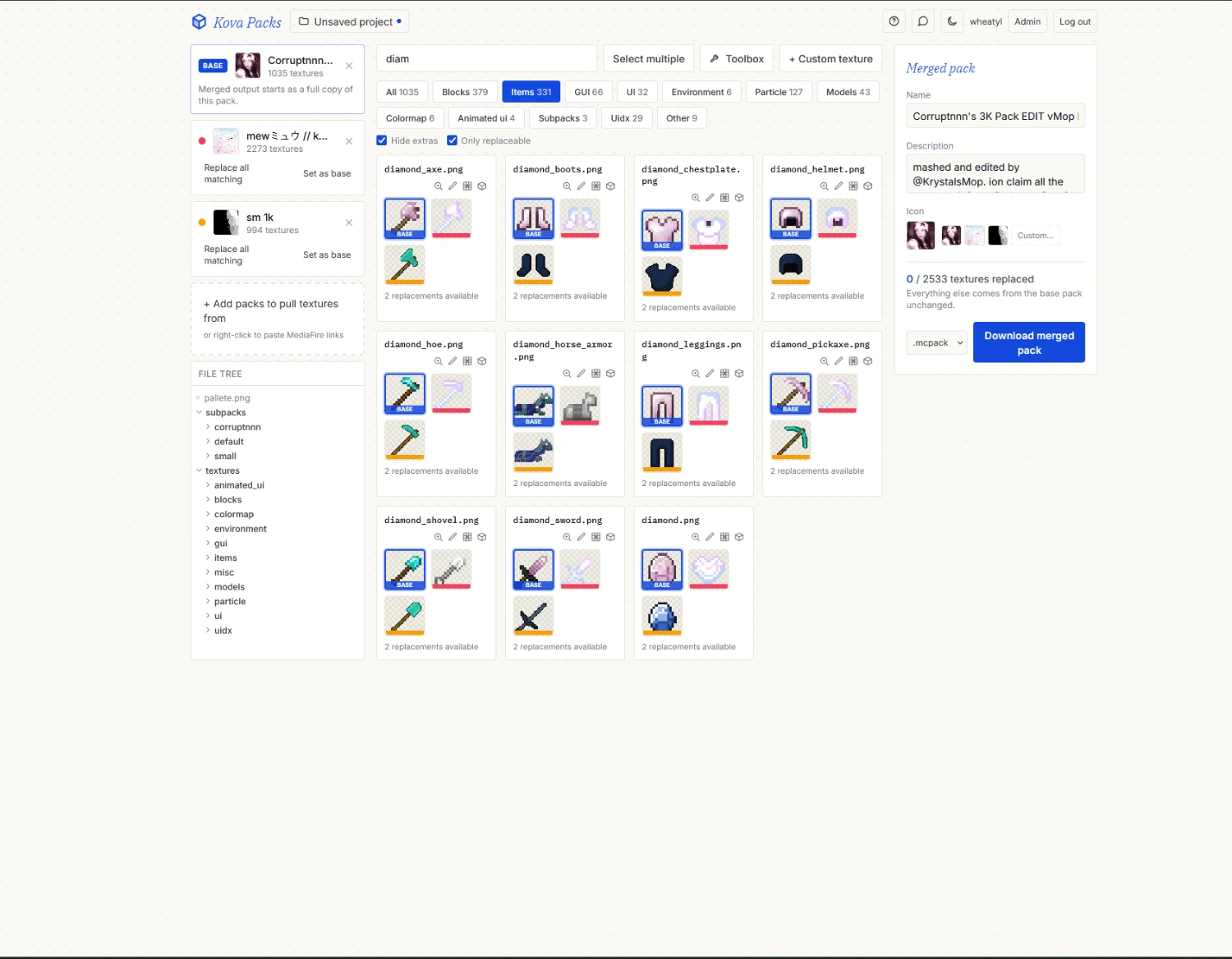
Each texture path gets a card holding the base pack's version and every added pack's version of the same file. Click one and it ships; click it again and you are back on the base.
Zoom in to compare them full size, with the resolution of each. A 16x base pack and a 256x overlay merge fine, and you can see exactly what you are trading.
Not one at a time, if you'd rather: select several textures and swap them together, or take everything one pack can replace in a single click.
Whole packs, not a vanilla checklist
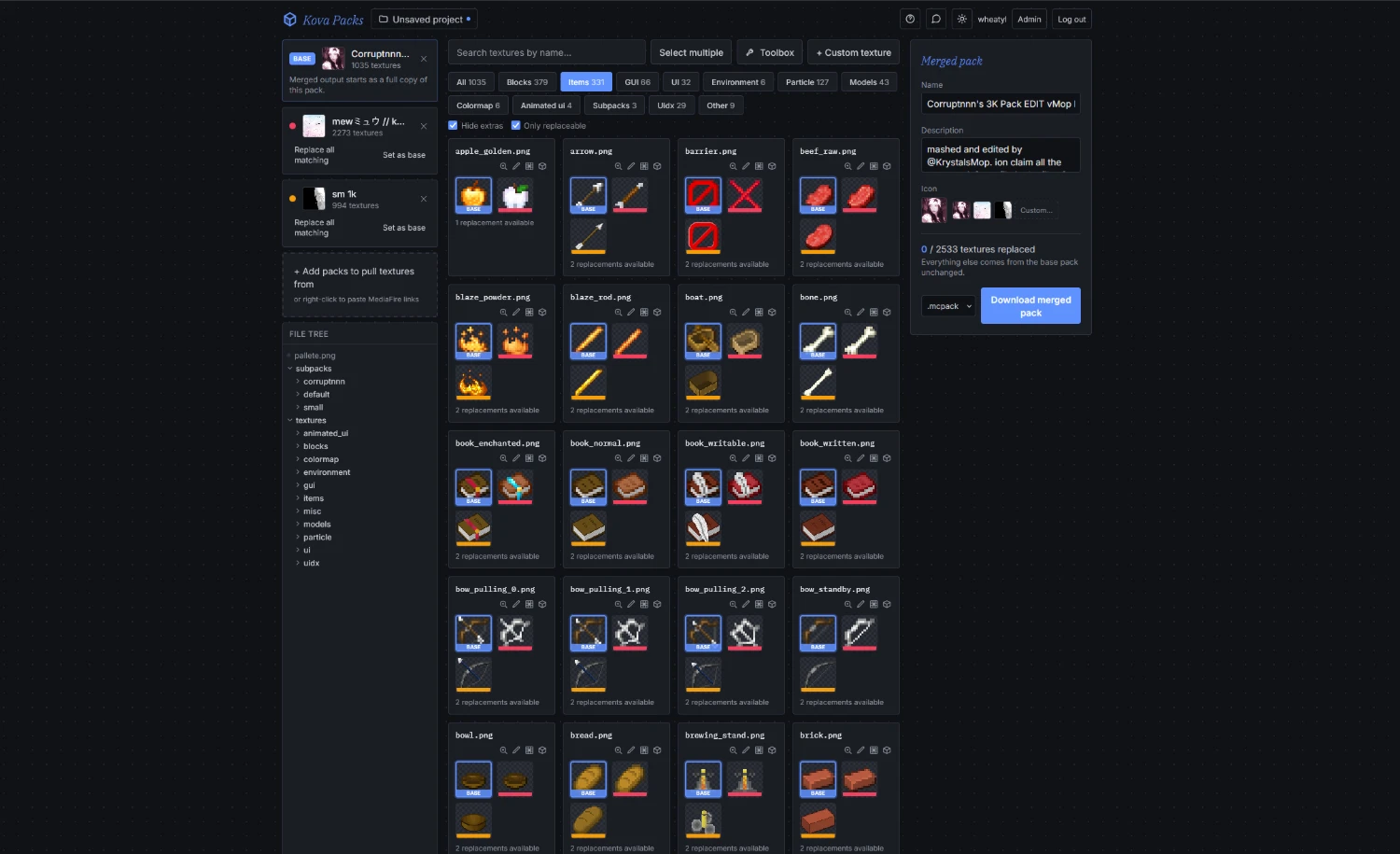
Your pack’s own folders get a tab too
Kova does not hold a pack to a fixed folder list. Every folder a pack ships becomes its own
tab (textures/uix, a root-level uix, a custom font) instead of being swept into "Other".
A file the base pack never had still gets a card, marked not in the base pack. Pick one of its versions and that file is added to the merged pack, so an added pack's extra folders can be merged in rather than silently dropped.
Those extras hide behind a toggle by default, so a pack full of its own folders cannot bury the base pack's textures. Anything already picked keeps shipping while hidden.
3D preview
Stand inside the sky before you ship it
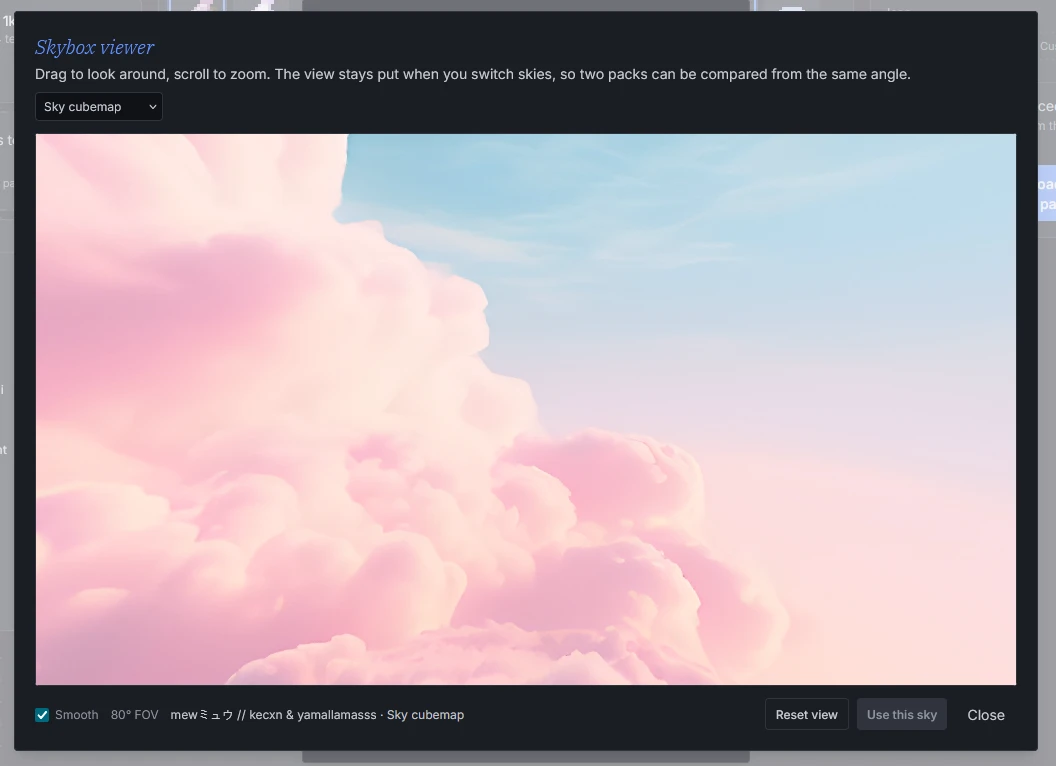
Six flat cube faces tell you very little. The skybox viewer puts you inside the merged sky: drag to look around, scroll to zoom.
It reads a pack's cubemap_0..5 and panorama_0..5, and the skyboxes encoded into
sun.png for BalintCsala's vanilla skybox template. The dropdown lists the merged result and every
uploaded pack separately, and the camera stays put when you switch, so two candidate skies can be
judged from the same angle. "Use this sky" points the merge at whichever one is on screen.
3D preview
Armour on a body, items in the hand
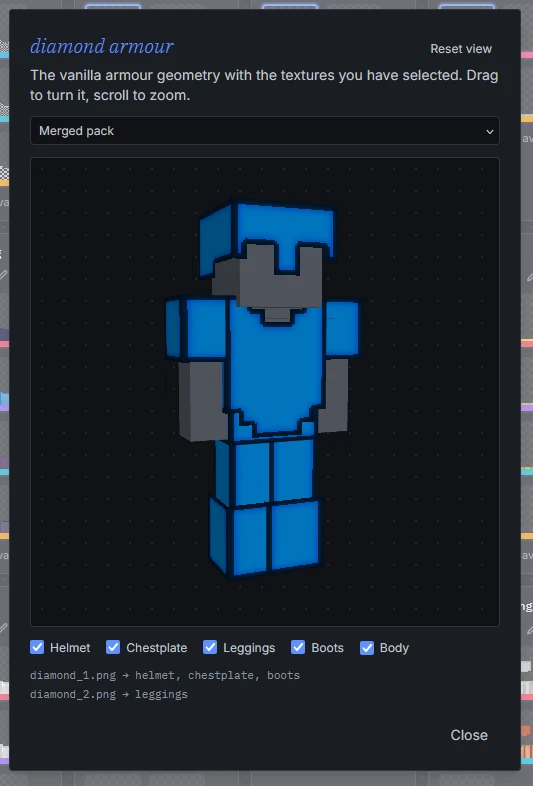
Armour layers open on the vanilla Bedrock armour geometry wearing whatever the merge currently selects. Layer 1 feeds the helmet, chestplate and boots and layer 2 the leggings, so both files of a set are pulled in at once, and a helmet is judged on a head rather than as a flat unwrap. Any piece can be hidden to look at the rest.
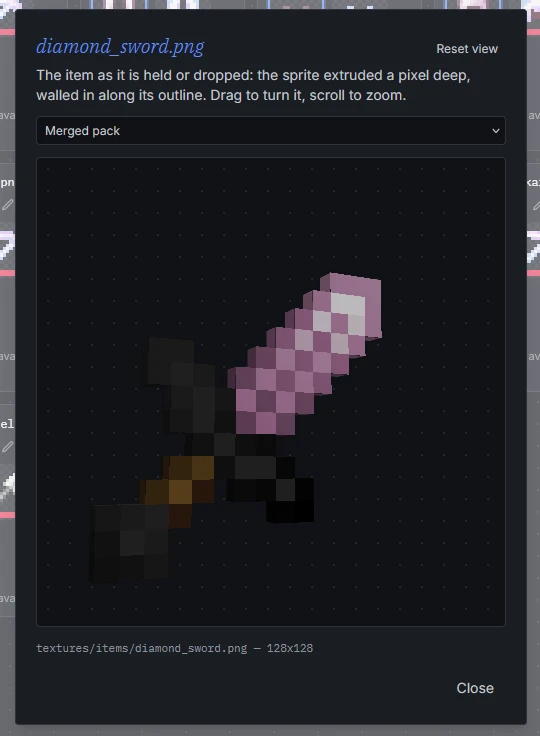
An item texture opens the same way, extruded a pixel deep the way it is held or dropped. Both viewers carry the same dropdown and "use this" button, so two candidate swords, or two whole armour sets, can be compared before either is picked.
Toolbox
The tedious edits, done for you
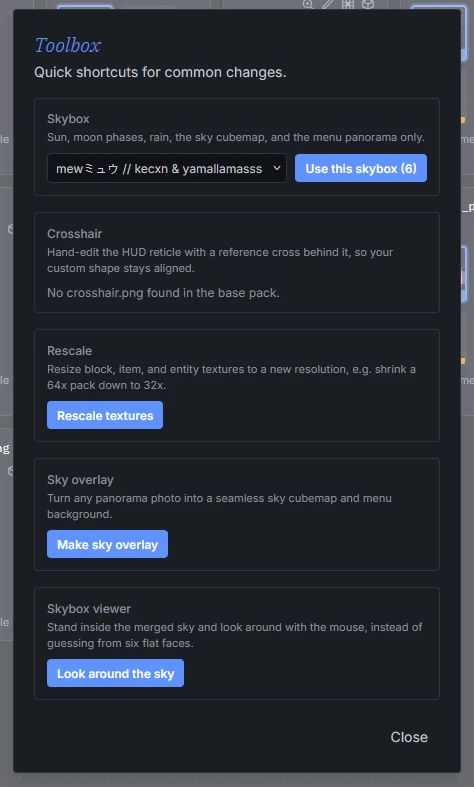
Take every sky texture from one pack in a single click. Rescale block, item and entity textures to a new resolution, shrinking a 64x pack to 32x without opening an image editor. Turn a panorama photo into a seamless sky cubemap and menu panorama — the panorama faces get created even when the pack ships none.
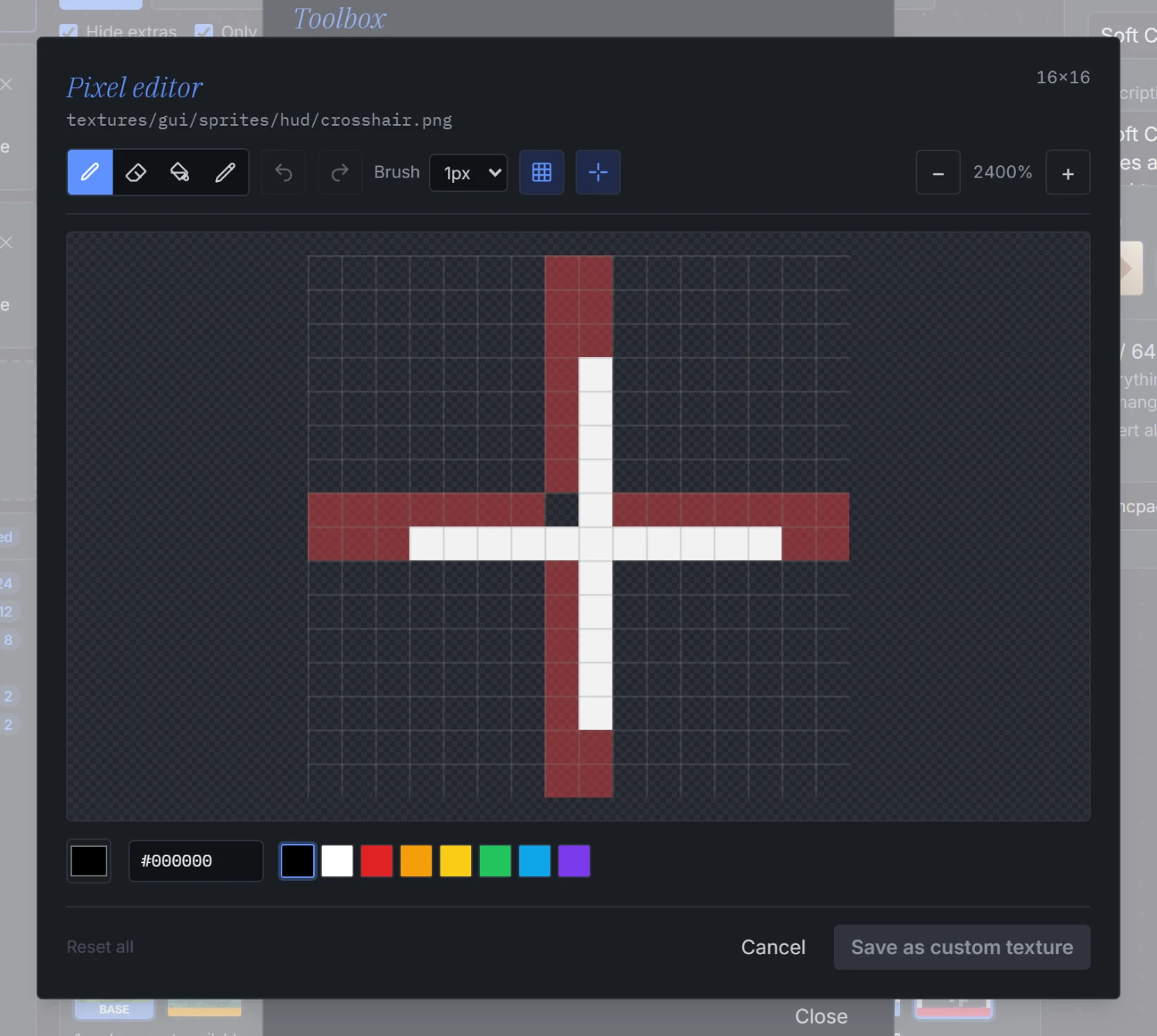
Crosshairs get their own pixel editor with the HUD guide drawn in, or you can import one from an image. Rewrite the title screen splash text, one splash per line, with the vanilla ones mixed in or switched off. Any texture can be recoloured, adjusted, or drawn on pixel by pixel, and a custom image can be dropped in for a path no pack covers.
Projects
Keep the work, start something new
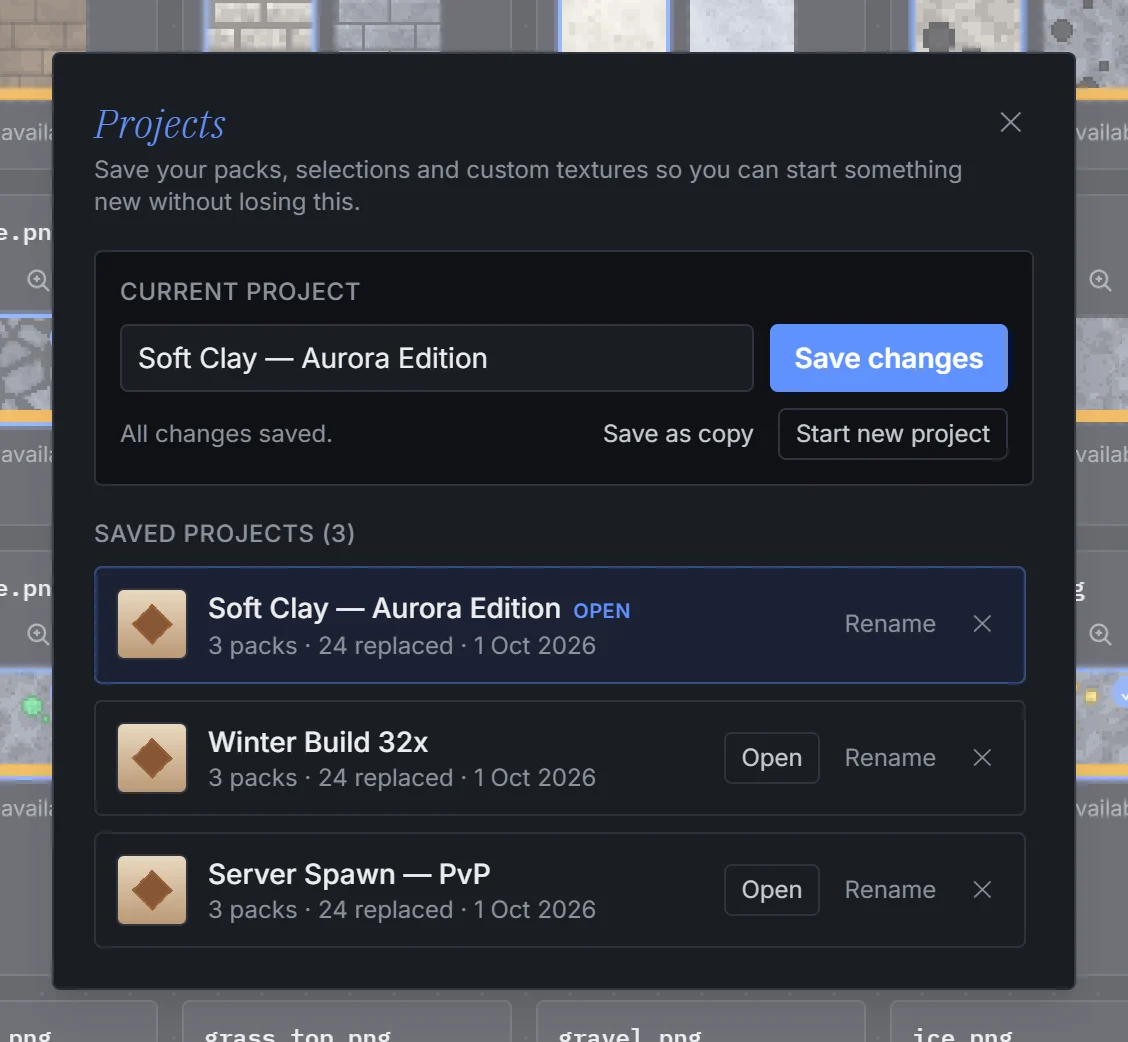
A project snapshot holds the loaded packs, the per-texture selection, your custom textures and the output name, description and icon. Save it under a name and start something else without deleting anything first.
Open a saved project and the whole workspace comes back exactly as you left it. Everything lives in your browser's own storage, so it survives closing the tab.
Remote packs
Packs that are not on this machine
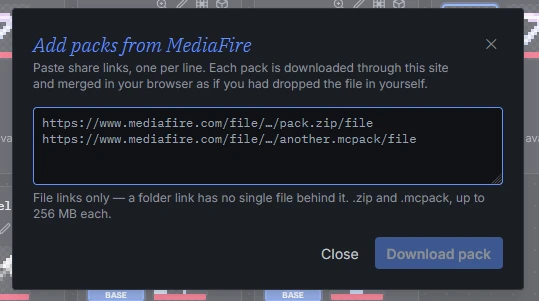
Right-click an upload zone and paste MediaFire share links, one per line. Each file is fetched and added exactly as if you had dropped it in from disk.
The browser cannot do that on its own, since mediafire.com sends no CORS headers and hides the real
download URL inside its share page. The server resolves the link and streams the bytes straight
through to your tab, holding nothing. File links only, .zip and .mcpack, up to 256 MB each.
How it goes
Three steps, then a pack
Drop in a base pack
The merged pack starts as a full copy of it: manifest, sounds, models, lang files and all.
Add the packs to pull from
From disk or from a MediaFire link. Each one colours the cards it can replace.
Pick, preview, download
Choose per texture, check the sky and the armour in 3D, then export a .mcpack or .zip.
Private site
Members only
Kova Packs is not open to the public. The app, its files and everything it can do sit behind a sign-in, so without an account there is nothing here but this page.
There is no sign-up form, and no way to make yourself an account. Access is by invitation only.
Details
Light or dark, and it remembers
The whole workspace comes in both. It follows your system by default and keeps whichever you picked.
Your packs, selections and projects are restored when you come back, so closing the tab mid-merge costs nothing.
Bring your packs
Already have an account? Sign in and start merging. If you do not, you will need an invitation first.